The problem with one company calendar
Most time tools have one calendar for everyone. That causes three problems in a distributed team:
- A US public holiday shows as a missing day for the US team.
- Leads in London do not see that New York is off, and plan a review that day.
- Timesheets count the wrong number of workdays.
One calendar per office
In Calendars, turn on multiple calendars and create one per office, for example United States, United Kingdom and India. Each calendar has its own:
Setting
Example
Working time
US 08:30–17:30 · UK 09:00–18:00 · India 09:30–18:30
Weekend days
Saturday and Sunday
Holidays
Public holidays of that country, plus company days off
Then click Assign members and add people by name or by team.
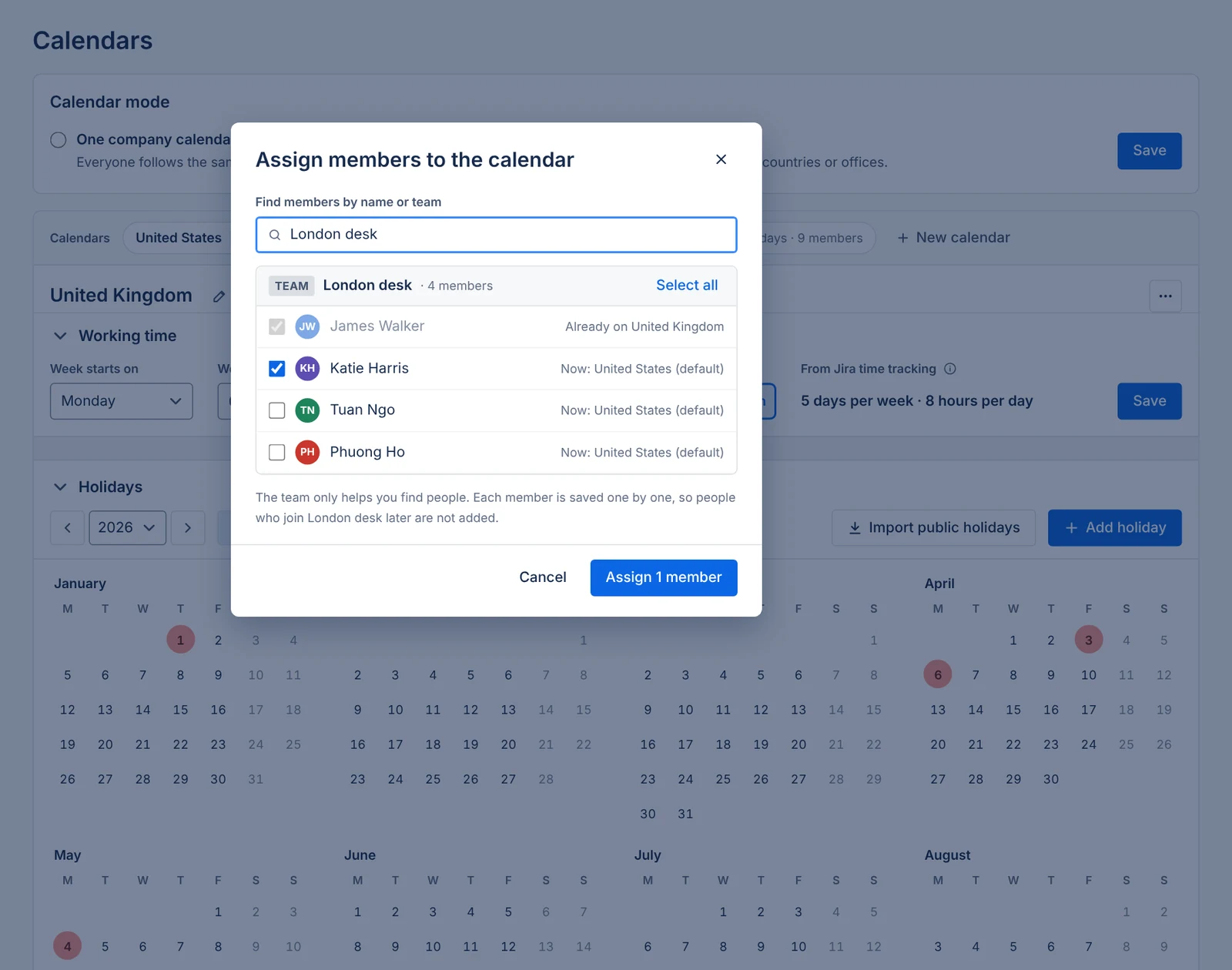
Assign people to a calendar by name or by team.
Import public holidays in two steps
Click Import public holidays, pick the country and year, and leave out any day your office works. In step 2, choose Skip or Overwrite for dates that already have a holiday.
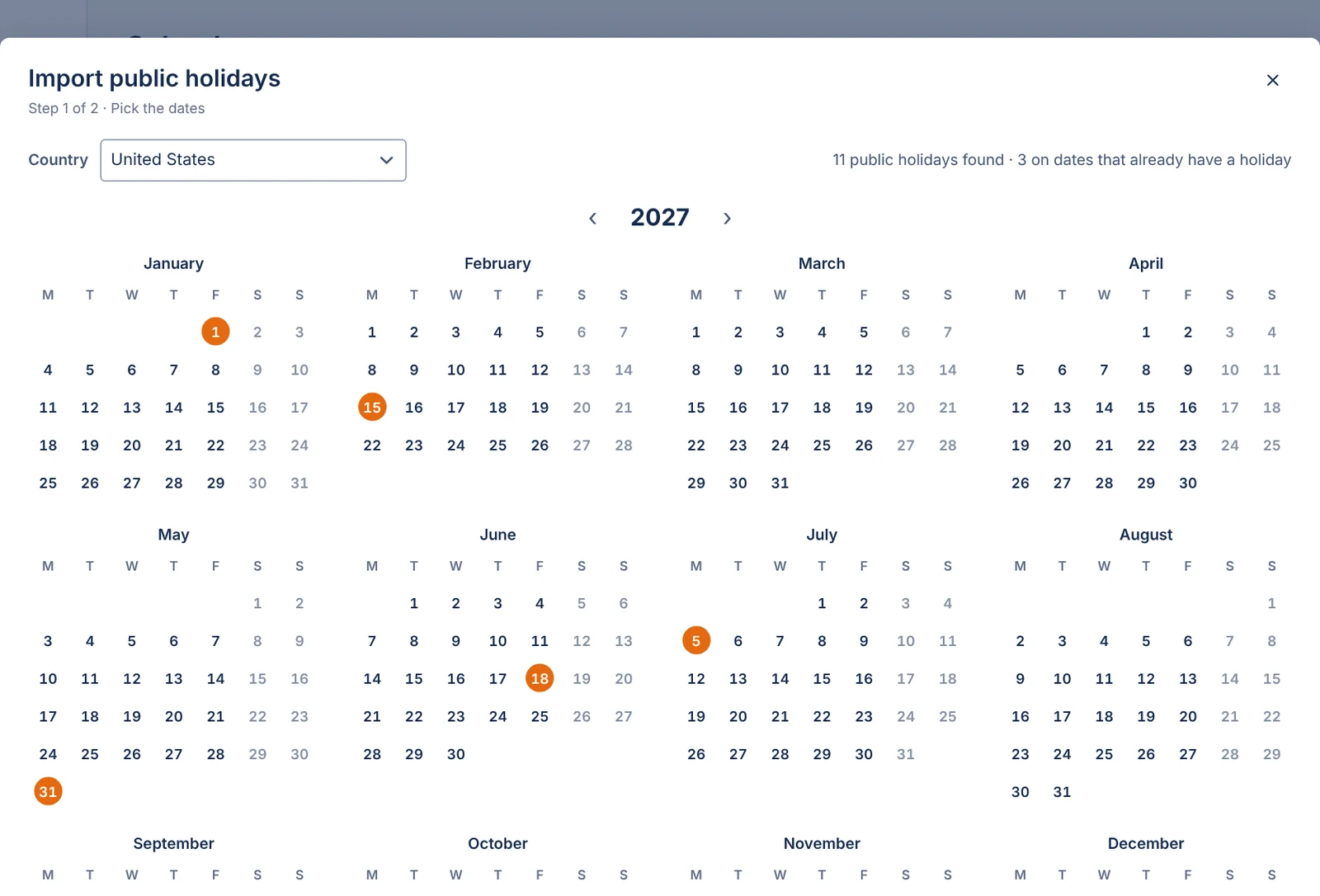
Step 1: click a date to leave it out.
Add company days with Add holiday, for example a company anniversary or a year-end break.
Each person sees their own days, plus everyone else’s
In My preferences, each person picks My calendar and the calendars they want to see on timelines.
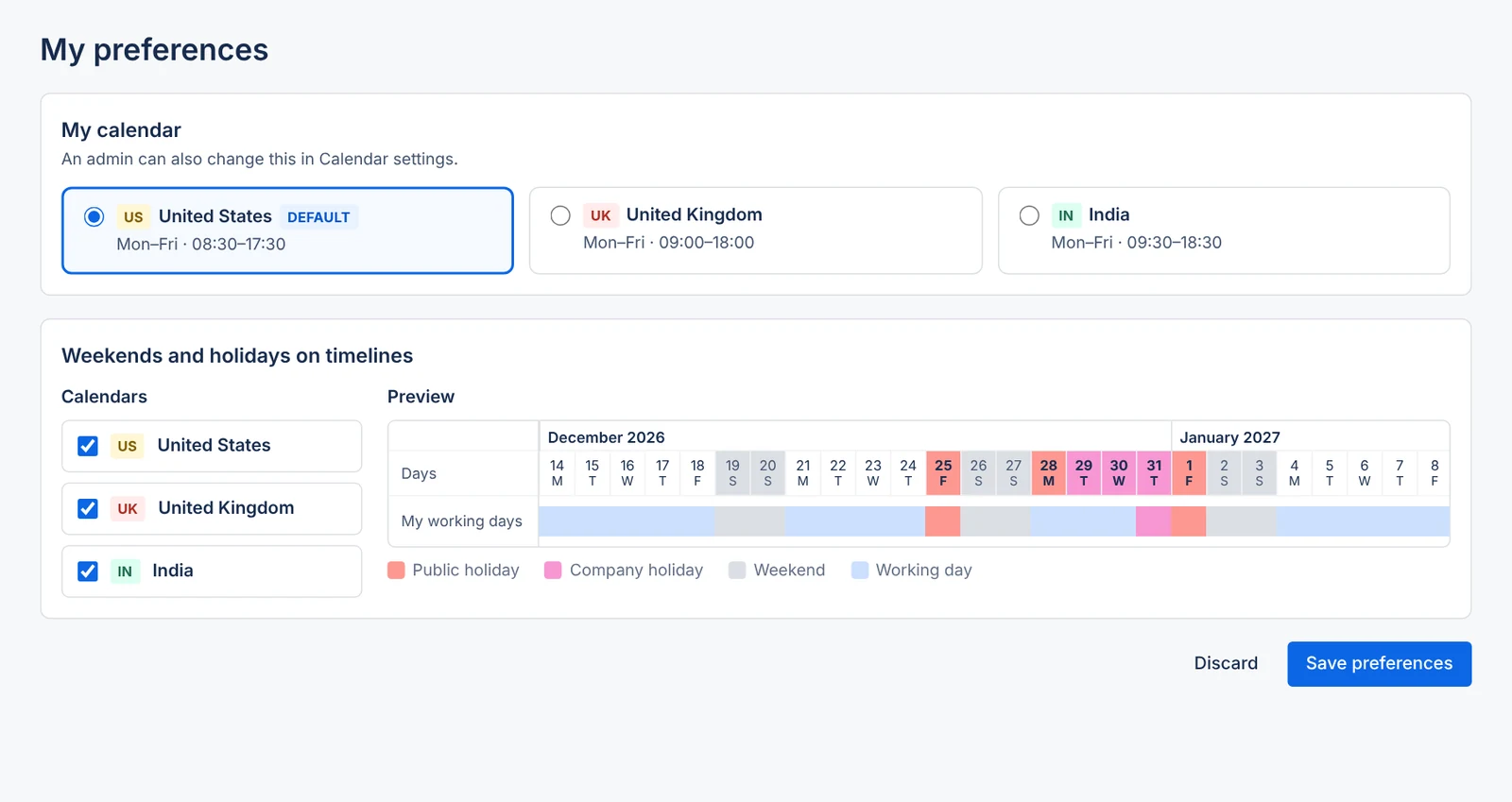
Pick your own calendar and the ones you want to see.
On My worklogs, your own calendar shapes the grid: weekends are grey and your holidays are tinted. Holidays of other offices show as small chips in the day header, so you know who is off without it changing your own day.
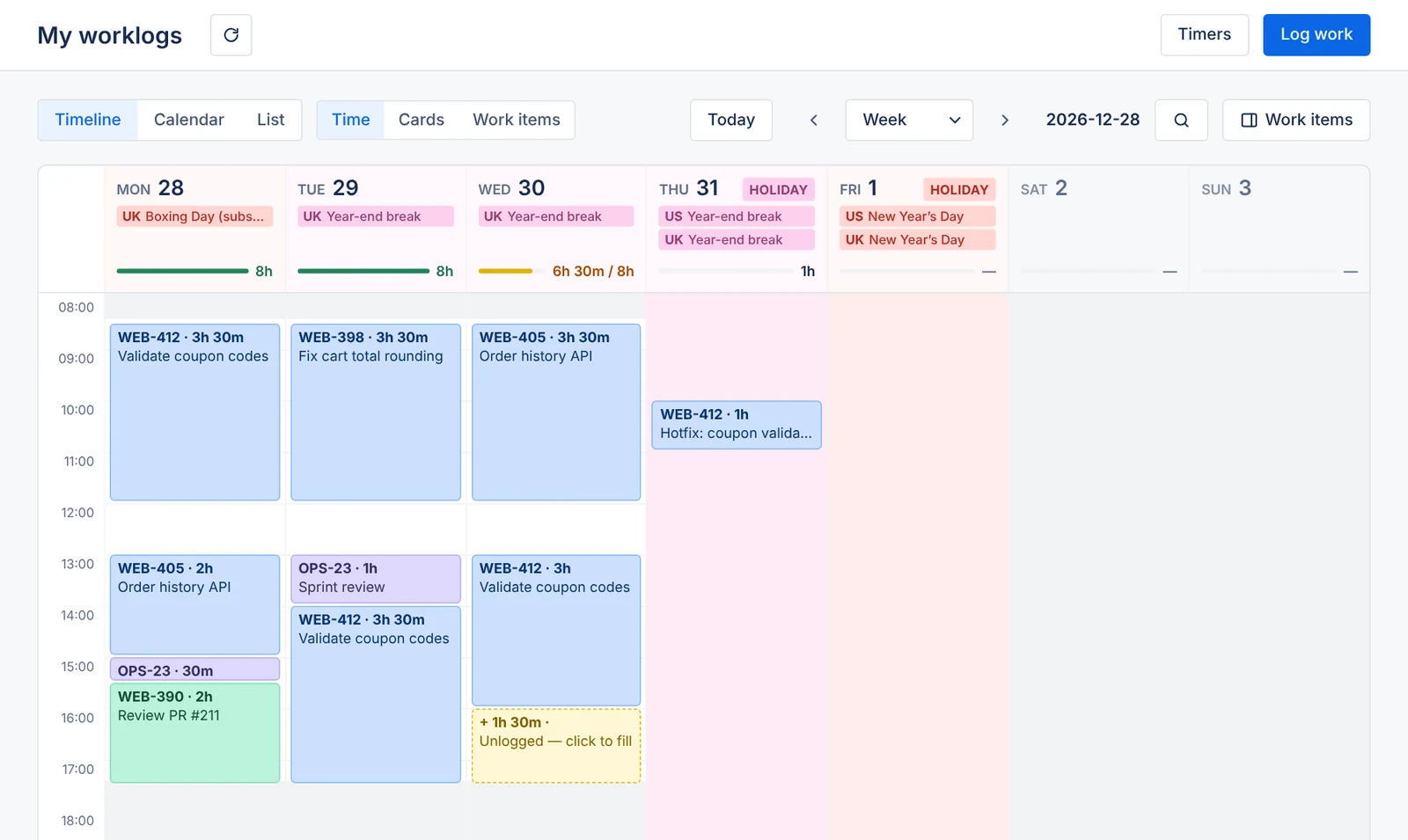
US calendar: 2026-12-31 and 2027-01-01 are tinted; UK holidays show as chips.
Leads see every office on one report
In Team worklogs, each person’s row follows their own calendar. In the week below, Boxing Day (substitute day) on 2026-12-28 and the year-end break are tinted on the UK rows and are not counted as missing. The US rows only stop for 2026-12-31 and New Year’s Day; the India row expects a full week.
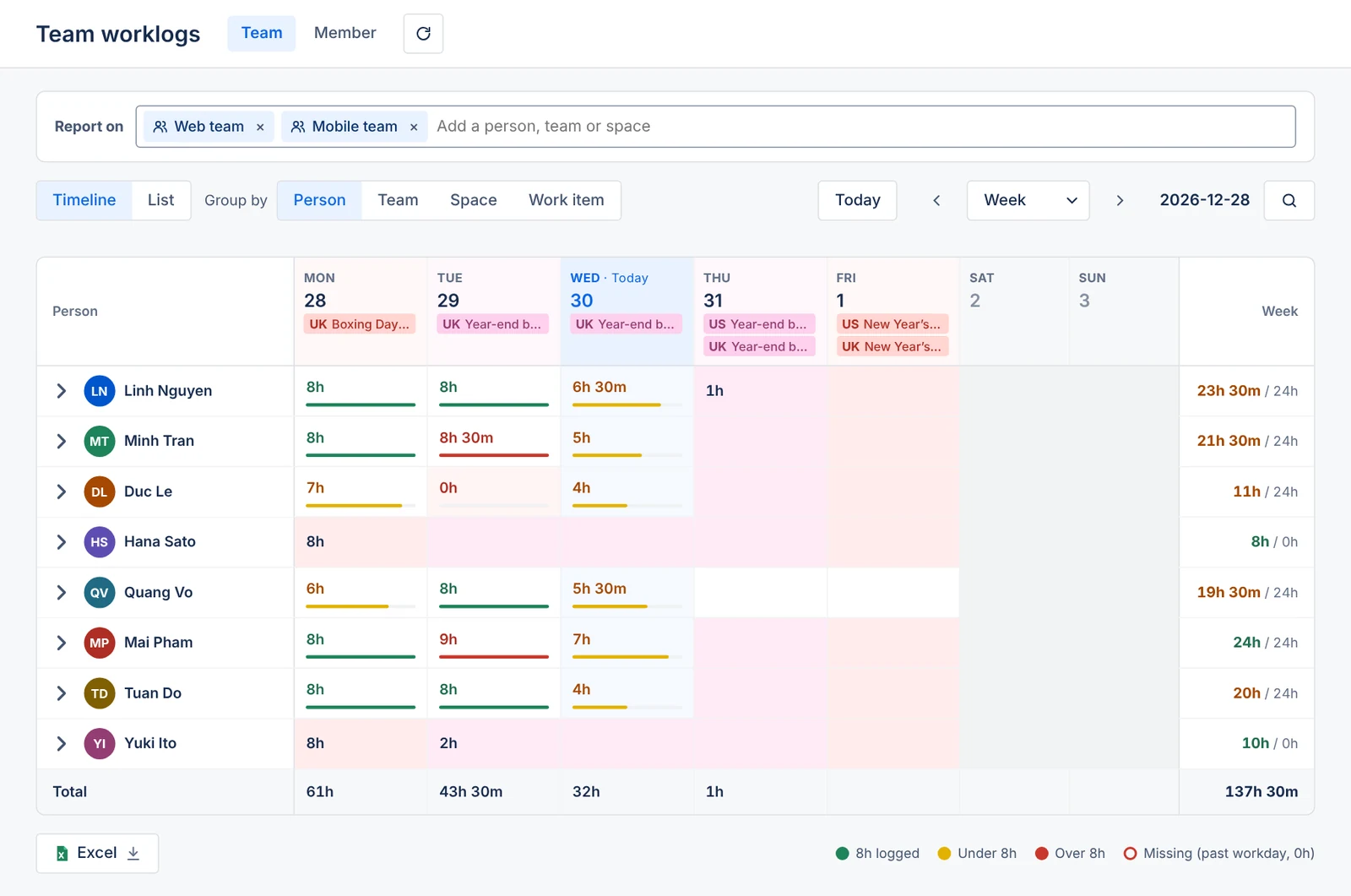
Each row uses that person’s calendar, so a holiday is never a missing day.
A week like Thanksgiving
Office
Thu 2026-11-26 – Fri 2026-11-27
Expected hours that week
United States
Thanksgiving (public holiday), plus the day after as a company holiday
24h
United Kingdom
Working days
40h
India
Working days
40h
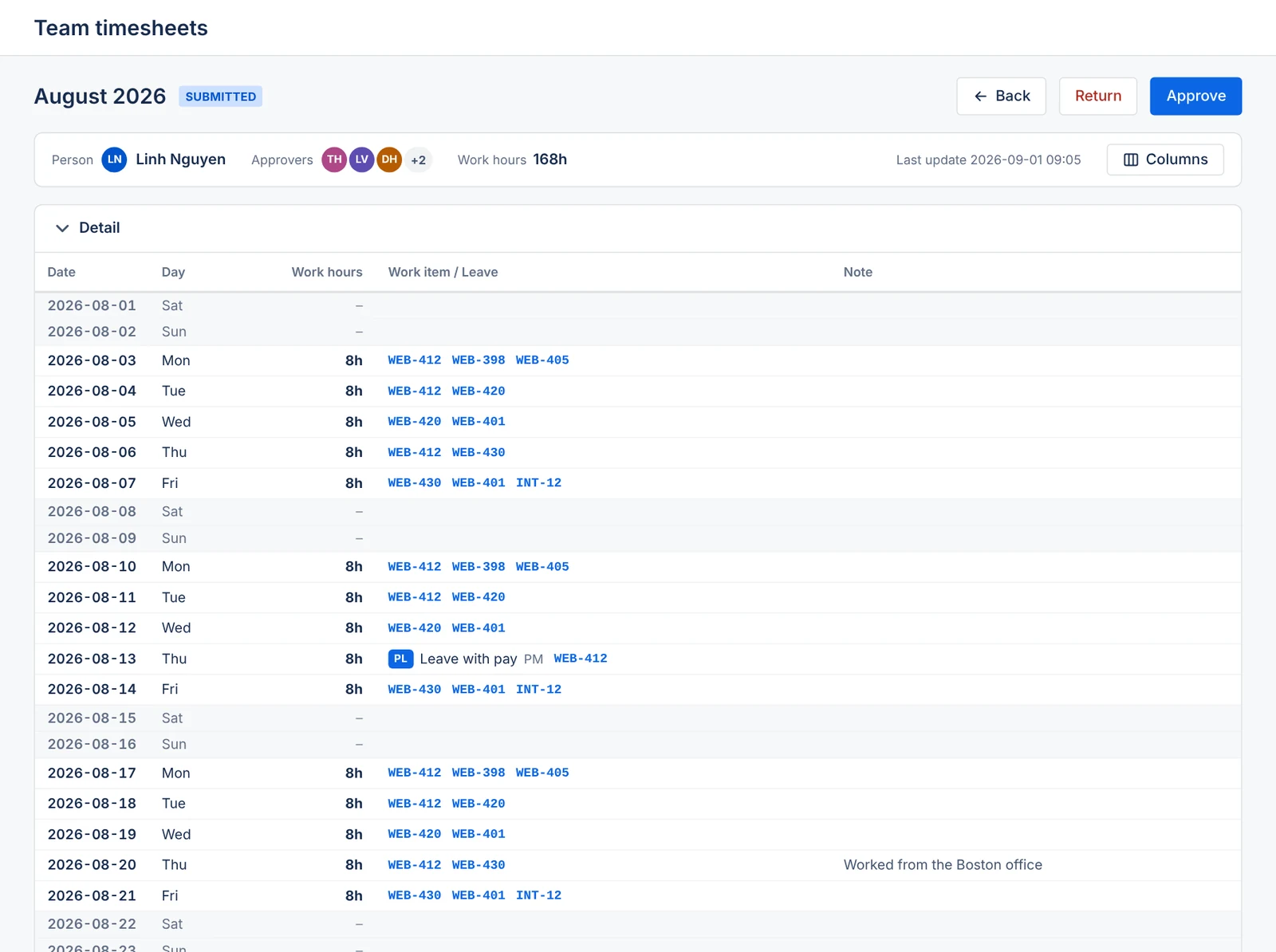
Timesheets use the same calendars, so the US timesheet for November counts those two days as holidays, not missing days.
Checklist
- Create one calendar per office, with its working time and weekends.
- Import public holidays for each country and add company days.
- Assign every person to a calendar.
- Ask people to tick the other offices in My preferences.